Powered Gate & Vehicle Barrier Maintenance Checklist
Stop powered gates and barriers crushing or trapping people — force tests, safety edges and photocells, manual release, drives and the six-monthly service.
Also available as editable Excel and Word — with asset, sign-off and findings columns.
What is a powered gate & barrier maintenance checklist?
A powered gate & vehicle barrier maintenance checklist is a structured list of the 9 preventive maintenance tasks — covering visual, functional, safety and record-keeping checks — that keep a powered gate & vehicle barrier running safely and reliably. It groups routine checks by frequency, from daily inspections to annual servicing, so FM teams and building engineers can plan and evidence preventive maintenance.
Core powered gate & barrier checks
- Inspect hinges, rollers, tracks and the drive for wear and alignment
- Test the manual release and that the gate can be moved safely by hand
- Measure closing forces with a calibrated force tester against BS EN 12453 limits
- Record force measurements and safety device results
What is a powered gate & vehicle barrier?
Powered gates, vehicle barriers and rising bollards control access to car parks, service yards and estates. Because they move with force, they can trap and crush people, and there have been fatalities, including children. Their safe use and maintenance falls under the Provision and Use of Work Equipment Regulations, with BS EN 12453 setting the safety requirements for force limits and safety devices. Industry guidance (DHF TS 011) recommends servicing at least every six months, including measured force testing.
This checklist is one of 10 in our BMS and controls maintenance checklists, covering bMS panels and head-ends, DDC controllers, inverters, sensors and actuators — calibration, overrides and strategy backups.
Typical Powered Gate & Barrier maintenance checklist
A practical starting point for planned preventive maintenance. Always refer to the manufacturer's O&M manual and site-specific requirements.
Visual Checks
- Inspect hinges, rollers, tracks and the drive for wear and alignment
- Check warning signs and lights are present and working
Functional Checks
- Test the manual release and that the gate can be moved safely by hand
- Test access controls, loop detectors and fire service override
Safety Checks
- Measure closing forces with a calibrated force tester against BS EN 12453 limits
- Test safety edges stop and reverse the gate on contact
- Test photocells stop the gate when the beam is broken
- Check there are no crushing, shearing or trapping points in the travel
Record Keeping
- Record force measurements and safety device results
Download the free Powered Gate & Barrier maintenance checklist PDF
Get all 9 tasks as a printable PDF — free, no signup needed. Keep a copy in the plant room, attach it to work orders, or share it with your maintenance contractor.
The PDF is free and needs nothing. The Excel and Word versions add asset details, sign-off and findings columns so you can record the work as you do it — we ask for an email address for those.
Typical maintenance frequency
Suggested intervals for powered gate & vehicle barrier maintenance. Actual frequencies should follow manufacturer guidance and site-specific risk assessments.
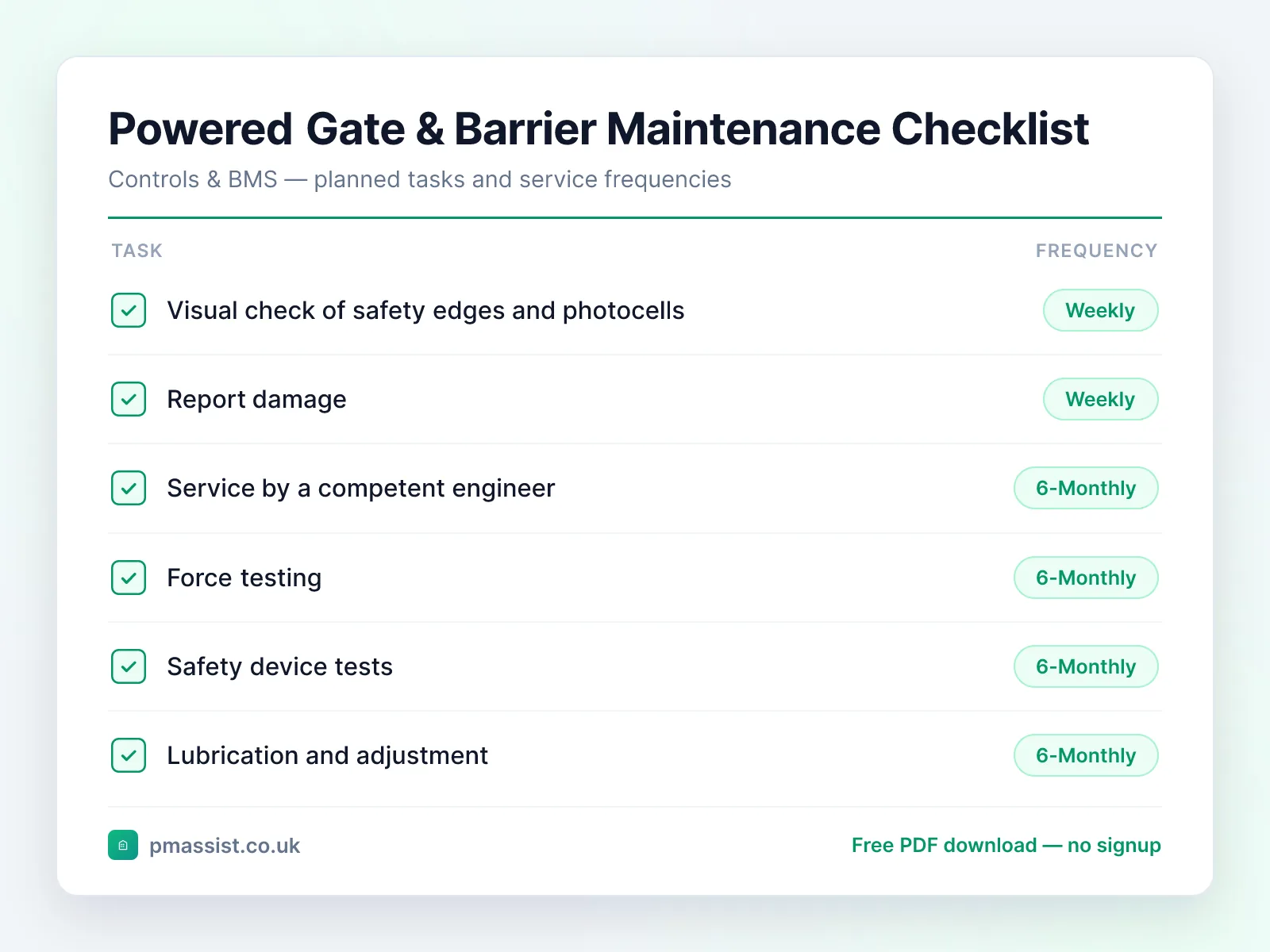
Weekly
- •Visual check of safety edges and photocells
- •Report damage
Every 6 Months
- •Service by a competent engineer
- •Force testing
- •Safety device tests
- •Lubrication and adjustment
Common faults and issues
Issues to be aware of when maintaining powered gate & vehicle barrier equipment.
Safety and compliance notes
Key safety considerations for powered gate & vehicle barrier maintenance. This is general guidance only — always follow OEM instructions, statutory requirements, and your organisation's safe systems of work.
Reference standards and frameworks
- United Kingdom
- SFG20 schedules and CIBSE Guide H (building control systems)
- North America
- ASHRAE Guideline 13 (specifying building automation systems)
- Middle East
- Dubai Municipality's Green Building Regulations require commissioning to CIBSE Commissioning Code C (automatic controls) for BMS and central control
Frameworks commonly referenced when planning powered gate & barrier maintenance programmes. Always confirm the requirements that apply to your site and jurisdiction.
Managing Powered Gate & Barrier documentation with PM Assist
PM Assist helps FM and building operations teams search their O&M manuals and building drawings in seconds. Upload your powered gate & vehicle barrier documentation and ask questions like “When were the car park barriers last force tested?” or “Who services the site gates?” — and get source-cited answers instantly.
The checklist tells you what to check. The manual tells you the numbers.
Ask a powered gate & barrier manual a question and get the answer back with the page it came from. No signup, and you can drop in your own PDF instead of the sample.
“When were the car park barriers last force tested?”Runs against a sample chiller manual so you can see the shape of the answer — then try it on one of yours.
Take this checklist with you
Download the branded PDF, generate a custom version for your asset, or run AI search across all your building documentation.
Related free tools
Further reading on powered gate & barrier maintenance
Compliance topics for powered gate & barrier maintenance
Compliance & CAFM
Run powered gate & vehicle barrier maintenance in PM Assist
This checklist is also a planned maintenance programme in PM Assist, included in every paid plan alongside the compliance register and mobile inspections.
- Add a powered gate & vehicle barrier to a building's asset register and this maintenance programme is created for you, with each task on its frequency in the planner.
- Powered Gates, Barriers & Roller Shutters Service is tracked on the compliance register, with the date last done, the date next due and the certificate.
- Contractors can be given a login to see their jobs and upload certificates.
Frequently asked questions
How often should electric gates be serviced?
What is force testing on automatic gates?
Who is responsible for automated gate safety?
Manage your building documentation with AI
PM Assist gives FM teams instant access to O&M manuals, drawings, and maintenance knowledge — all searchable with AI.
- Upload and organise building documentation
- AI-powered search across all your manuals
- Source-cited answers for maintenance queries
- Team collaboration and access control
- No credit card required to start