CCTV System Maintenance Checklist
Planned maintenance for a building CCTV installation: camera condition and focus, image quality in day and night modes, recording integrity, retention periods, and storage health.
Also available as editable Excel and Word — with asset, sign-off and findings columns.
What is a cctv system maintenance checklist?
A cctv system maintenance checklist is a structured list of the 12 preventive maintenance tasks — covering visual, functional, cleaning, safety and record-keeping checks — that keep a cctv system running safely and reliably. It groups routine checks by frequency, from daily inspections to annual servicing, so FM teams and building engineers can plan and evidence preventive maintenance.
Core cctv system checks
- Check each camera for physical damage, secure mounting, and correct field of view
- Verify image quality and focus in both daylight and night/IR modes
- Clean camera housings, domes, and lenses; check for condensation or water ingress
- Review user accounts and access permissions; remove leavers
- Record firmware versions and apply pending security updates
What is a cctv system?
A CCTV system in a commercial building comprises cameras, a recording platform (NVR or a server-based VMS), network infrastructure, storage, and the client software used to review footage. Modern installations are almost entirely IP-based, which means the network is as much part of the system as the cameras, and a switch or PoE budget problem presents as a camera fault.
The purpose of maintenance is narrower than it looks: the system exists to produce usable evidence when something happens. Almost everything on a maintenance visit reduces to whether footage of adequate quality will exist, be retained long enough, and be retrievable with an accurate timestamp. A camera that is powered, streaming, and pointed at a wall passes a superficial check and fails the only test that matters.
CCTV also carries data protection obligations that ordinary building plant does not. Retention periods, signage, access controls over who can view footage, and the process for handling disclosure requests all sit alongside the engineering, and a maintenance regime that ignores them leaves a compliance gap even when every camera works.
This checklist is one of 17 in our electrical maintenance checklists, covering distribution boards, switchgear, generators, UPS, solar PV and EV charging — inspection, testing and thermographic checks.
Typical CCTV system maintenance checklist
A practical starting point for planned preventive maintenance. Always refer to the manufacturer's O&M manual and site-specific requirements.
Visual Checks
- Check each camera for physical damage, secure mounting, and correct field of view
Functional Checks
- Verify image quality and focus in both daylight and night/IR modes
- Confirm every camera is recording and appears in the recording schedule
- Check recording retention matches the documented retention period
- Review storage health, free capacity, and any failed drives or RAID warnings
- Verify system time synchronisation against a reliable source across all devices
- Test footage export and playback, confirming exports are viewable and timestamped
- Check network switches, PoE budget, and UPS supply supporting the system
Cleaning & Housekeeping
- Clean camera housings, domes, and lenses; check for condensation or water ingress
Safety Checks
- Review user accounts and access permissions; remove leavers
- Confirm signage and privacy masking remain correct for the installation
Record Keeping
- Record firmware versions and apply pending security updates
Download the free CCTV system maintenance checklist PDF
Get all 12 tasks as a printable PDF — free, no signup needed. Keep a copy in the plant room, attach it to work orders, or share it with your maintenance contractor.
The PDF is free and needs nothing. The Excel and Word versions add asset details, sign-off and findings columns so you can record the work as you do it — we ask for an email address for those.
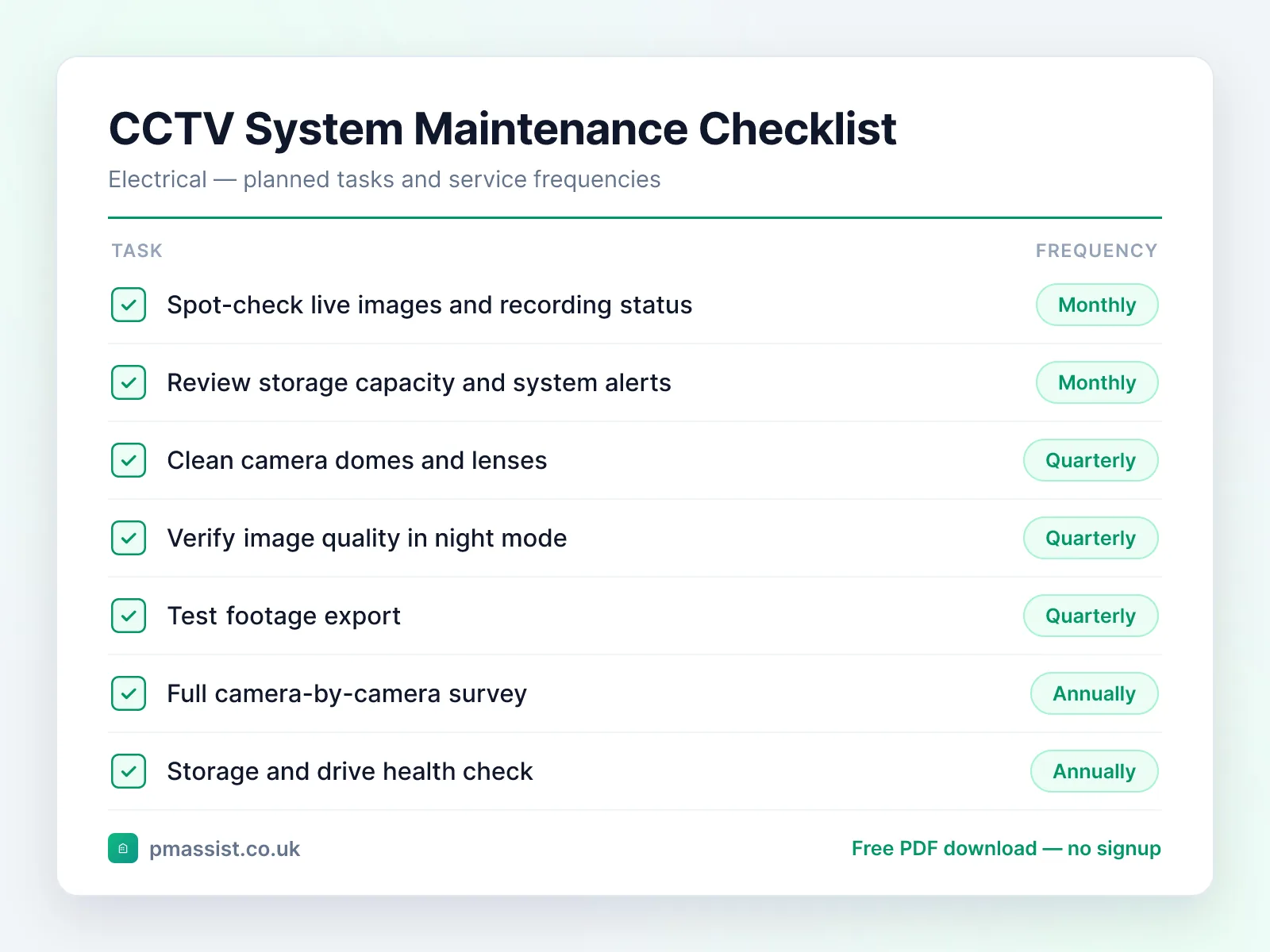
Typical maintenance frequency
Suggested intervals for cctv system maintenance. Actual frequencies should follow manufacturer guidance and site-specific risk assessments.
Monthly
- •Spot-check live images and recording status
- •Review storage capacity and system alerts
Quarterly
- •Clean camera domes and lenses
- •Verify image quality in night mode
- •Test footage export
Annually
- •Full camera-by-camera survey
- •Storage and drive health check
- •User account and permissions review
- •Firmware and security update review
Common faults and issues
Issues to be aware of when maintaining cctv system equipment.
Safety and compliance notes
Key safety considerations for cctv system maintenance. This is general guidance only — always follow OEM instructions, statutory requirements, and your organisation's safe systems of work.
Reference standards and frameworks
- United Kingdom
- BS 7671 (IET Wiring Regulations) and the Electricity at Work Regulations 1989
- North America
- NFPA 70B (electrical equipment maintenance) and ANSI/NETA MTS
Frameworks commonly referenced when planning cctv system maintenance programmes. Always confirm the requirements that apply to your site and jurisdiction.
Managing CCTV system documentation with PM Assist
PM Assist helps FM and building operations teams search their O&M manuals and building drawings in seconds. Upload your cctv system documentation and ask questions like “What is the retention period for this system?” or “Which switch and PoE port feeds this camera?” — and get source-cited answers instantly.
The checklist tells you what to check. The manual tells you the numbers.
Ask a cctv system manual a question and get the answer back with the page it came from. No signup, and you can drop in your own PDF instead of the sample.
“What is the retention period for this system?”Runs against a sample chiller manual so you can see the shape of the answer — then try it on one of yours.
Take this checklist with you
Download the branded PDF, generate a custom version for your asset, or run AI search across all your building documentation.
Related free tools
Related maintenance checklists
Access Control System maintenance checklist
Electrical · 12 tasks
Intruder Alarm System maintenance checklist
Electrical · 12 tasks
Uninterruptible Power Supply (UPS) maintenance checklist
Electrical · 12 tasks
Distribution Board maintenance checklist
Electrical · 9 tasks
Lighting Control Panel maintenance checklist
Electrical · 10 tasks
Further reading on cctv system maintenance
Compliance topics for cctv system maintenance
Compliance & CAFM
Run CCTV system maintenance in PM Assist
This checklist is also a planned maintenance programme in PM Assist, included in every paid plan alongside the compliance register and mobile inspections.
- Add a CCTV system to a building's asset register and this maintenance programme is created for you, with each task on its frequency in the planner.
- CCTV Maintenance is tracked on the compliance register, with the date last done, the date next due and the certificate.
- Contractors can be given a login to see their jobs and upload certificates.
Frequently asked questions
How often should a CCTV system be maintained?
Why does CCTV footage need accurate time synchronisation?
How long should CCTV footage be retained?
Manage your building documentation with AI
PM Assist gives FM teams instant access to O&M manuals, drawings, and maintenance knowledge — all searchable with AI.
- Upload and organise building documentation
- AI-powered search across all your manuals
- Source-cited answers for maintenance queries
- Team collaboration and access control
- No credit card required to start