Fire Alarm Control Panel Maintenance Checklist
Keep your fire detection system compliant and reliable — weekly call point tests, zone checks, battery and standby supply verification, and fault log management to BS 5839.
Also available as editable Excel and Word — with asset, sign-off and findings columns.
What is a fire alarm panel maintenance checklist?
A fire alarm control panel maintenance checklist is a structured list of the 10 preventive maintenance tasks — covering visual, functional and record-keeping checks — that keep a fire alarm control panel running safely and reliably. It groups routine checks by frequency, from daily inspections to annual servicing, so FM teams and building engineers can plan and evidence preventive maintenance.
Core fire alarm panel checks
- Confirm the panel shows normal status with no fault, fire, or disablement indications
- Test a different manual call point each week and confirm correct zone display
- Review and clear the event/fault log, recording any recurring faults
What is a fire alarm control panel?
A fire alarm control panel is the central hub of a building's fire detection and alarm system. It monitors detectors, manual call points, and interfaces, and on activation initiates audible and visual alarms, alerts the responsible person, and triggers ancillary actions such as door release, lift homing, and AOV operation. UK commercial systems are designed, installed, and maintained to BS 5839-1. The panel must be serviced by a competent person at least every six months, and the responsible person must carry out a weekly test of a manual call point and keep a fire log book as evidence.
This checklist is one of 19 in our fire safety maintenance checklists, covering fire dampers, alarms, emergency lighting, sprinklers, risers and fire doors — the statutory checks and their records.
Typical Fire Alarm Panel maintenance checklist
A practical starting point for planned preventive maintenance. Always refer to the manufacturer's O&M manual and site-specific requirements.
Visual Checks
- Confirm the panel shows normal status with no fault, fire, or disablement indications
- Check the zone chart and as-fitted drawings match the installed system
Functional Checks
- Test a different manual call point each week and confirm correct zone display
- Verify all zones are healthy and no detectors are isolated or in fault
- Check sounders and visual alarm devices operate at the correct level on test
- Confirm standby battery voltage and that the charger is maintaining charge
- Test interfaces to ancillary systems — door holders, AOVs, lift homing, plant shutdown
- Verify the auto-dialler or ARC (alarm receiving centre) link signals correctly
Record Keeping
- Review and clear the event/fault log, recording any recurring faults
- Record the weekly test, service visits, and any disablements in the fire log book
Download the free Fire Alarm Panel maintenance checklist PDF
Get all 10 tasks as a printable PDF — free, no signup needed. Keep a copy in the plant room, attach it to work orders, or share it with your maintenance contractor.
The PDF is free and needs nothing. The Excel and Word versions add asset details, sign-off and findings columns so you can record the work as you do it — we ask for an email address for those.
Typical maintenance frequency
Suggested intervals for fire alarm control panel maintenance. Actual frequencies should follow manufacturer guidance and site-specific risk assessments.
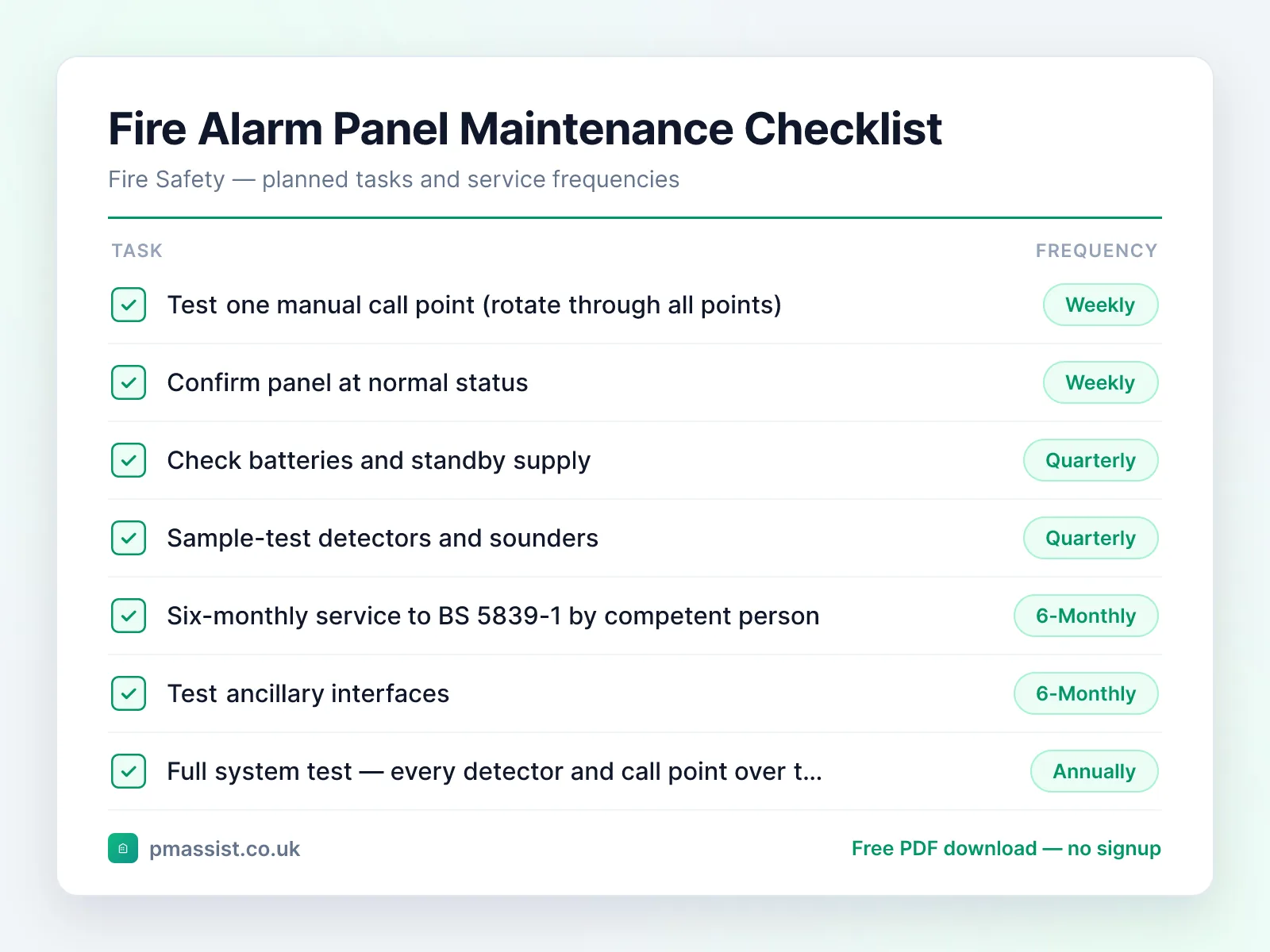
Weekly
- •Test one manual call point (rotate through all points)
- •Confirm panel at normal status
- •Log the test
Quarterly
- •Check batteries and standby supply
- •Sample-test detectors and sounders
- •Review fault log
Every 6 Months
- •Six-monthly service to BS 5839-1 by competent person
- •Test ancillary interfaces
- •Inspect 50% of detectors
Annually
- •Full system test — every detector and call point over the year
- •Battery load test
- •Cause-and-effect verification
- •Issue service certificate
Common faults and issues
Issues to be aware of when maintaining fire alarm control panel equipment.
Safety and compliance notes
Key safety considerations for fire alarm control panel maintenance. This is general guidance only — always follow OEM instructions, statutory requirements, and your organisation's safe systems of work.
Reference standards and frameworks
- United Kingdom
- The Regulatory Reform (Fire Safety) Order 2005 and the relevant BS 5306 / BS 9999 parts
- North America
- The applicable NFPA standards (e.g. NFPA 10, 25, 72, 80)
Frameworks commonly referenced when planning fire alarm panel maintenance programmes. Always confirm the requirements that apply to your site and jurisdiction.
Managing Fire Alarm Panel documentation with PM Assist
PM Assist helps FM and building operations teams search their O&M manuals and building drawings in seconds. Upload your fire alarm control panel documentation and ask questions like “When is the next BS 5839 service due?” or “Which zones cover the second floor?” — and get source-cited answers instantly.
The checklist tells you what to check. The manual tells you the numbers.
Ask a fire alarm panel manual a question and get the answer back with the page it came from. No signup, and you can drop in your own PDF instead of the sample.
“When is the next BS 5839 service due?”Runs against a sample chiller manual so you can see the shape of the answer — then try it on one of yours.
Take this checklist with you
Download the branded PDF, generate a custom version for your asset, or run AI search across all your building documentation.
Related free tools
Related maintenance checklists
Emergency Lighting System maintenance checklist
Fire Safety · 10 tasks
Sprinkler System maintenance checklist
Fire Safety · 10 tasks
Smoke Damper maintenance checklist
Fire Safety · 14 tasks
Fire Door maintenance checklist
Fire Safety · 10 tasks
Automatic Opening Vent (AOV) Smoke Control System maintenance checklist
Fire Safety · 10 tasks
Inspection checklists for this asset
Maintenance keeps the asset working; a statutory inspection records whether it currently passes. Both usually apply.
Further reading on fire alarm panel maintenance
Compliance topics for fire alarm panel maintenance
Compliance & CAFM
Run fire alarm control panel maintenance in PM Assist
This checklist is also a planned maintenance programme in PM Assist, included in every paid plan alongside the compliance register and mobile inspections.
- Add a fire alarm control panel to a building's asset register and this maintenance programme is created for you, with each task on its frequency in the planner.
- Fire Risk Assessment and Fire Alarm & Detection Service are tracked on the compliance register, with the date last done, the date next due and the certificate.
- Contractors can be given a login to see their jobs and upload certificates.
Frequently asked questions
How often does a fire alarm panel need servicing in the UK?
What is the weekly fire alarm test?
How long do fire alarm standby batteries last?
Manage your building documentation with AI
PM Assist gives FM teams instant access to O&M manuals, drawings, and maintenance knowledge — all searchable with AI.
- Upload and organise building documentation
- AI-powered search across all your manuals
- Source-cited answers for maintenance queries
- Team collaboration and access control
- No credit card required to start