Uninterruptible Power Supply (UPS) Maintenance Checklist
Protect critical loads from power disruption with UPS checks covering battery health testing, inverter performance, bypass operation, and load capacity monitoring.
Also available as editable Excel and Word — with asset, sign-off and findings columns.
What is an ups maintenance checklist?
A uninterruptible power supply (ups) maintenance checklist is a structured list of the 12 preventive maintenance tasks — covering visual, functional, safety and record-keeping checks — that keep an uninterruptible power supply (ups) running safely and reliably. It groups routine checks by frequency, from daily inspections to annual servicing, so FM teams and building engineers can plan and evidence preventive maintenance.
Core ups checks
- Inspect batteries for swelling, leaks, corrosion, or discolouration
- Check UPS status display for alarms, warnings, or fault conditions
- Test the UPS alarm interface to the BMS or monitoring system
- Record all operating parameters, battery condition, and alarm status
What is an uninterruptible power supply (ups)?
An uninterruptible power supply provides continuous, conditioned power to critical electrical loads by bridging the gap between a mains failure and the standby generator starting. The UPS uses batteries to provide instant backup power, eliminating the brief outage that occurs during generator startup. UPS systems protect servers, BMS controllers, fire alarm panels, security systems, and other equipment that cannot tolerate even momentary power loss.
This checklist is one of 17 in our electrical maintenance checklists, covering distribution boards, switchgear, generators, UPS, solar PV and EV charging — inspection, testing and thermographic checks.
Typical UPS maintenance checklist
A practical starting point for planned preventive maintenance. Always refer to the manufacturer's O&M manual and site-specific requirements.
Visual Checks
- Inspect batteries for swelling, leaks, corrosion, or discolouration
- Verify the battery room ventilation is adequate
- Inspect cabling and connections for tightness and condition
Functional Checks
- Check UPS status display for alarms, warnings, or fault conditions
- Verify the UPS is operating in normal (online) mode
- Check battery voltage, current, and temperature
- Test the static bypass switch operates correctly
- Check the load level as a percentage of UPS rated capacity
- Check input and output voltage, current, and frequency
Safety Checks
- Test the UPS alarm interface to the BMS or monitoring system
- Verify the maintenance bypass is operational and labelled
Record Keeping
- Record all operating parameters, battery condition, and alarm status
Download the free UPS maintenance checklist PDF
Get all 12 tasks as a printable PDF — free, no signup needed. Keep a copy in the plant room, attach it to work orders, or share it with your maintenance contractor.
The PDF is free and needs nothing. The Excel and Word versions add asset details, sign-off and findings columns so you can record the work as you do it — we ask for an email address for those.
Typical maintenance frequency
Suggested intervals for uninterruptible power supply (ups) maintenance. Actual frequencies should follow manufacturer guidance and site-specific risk assessments.
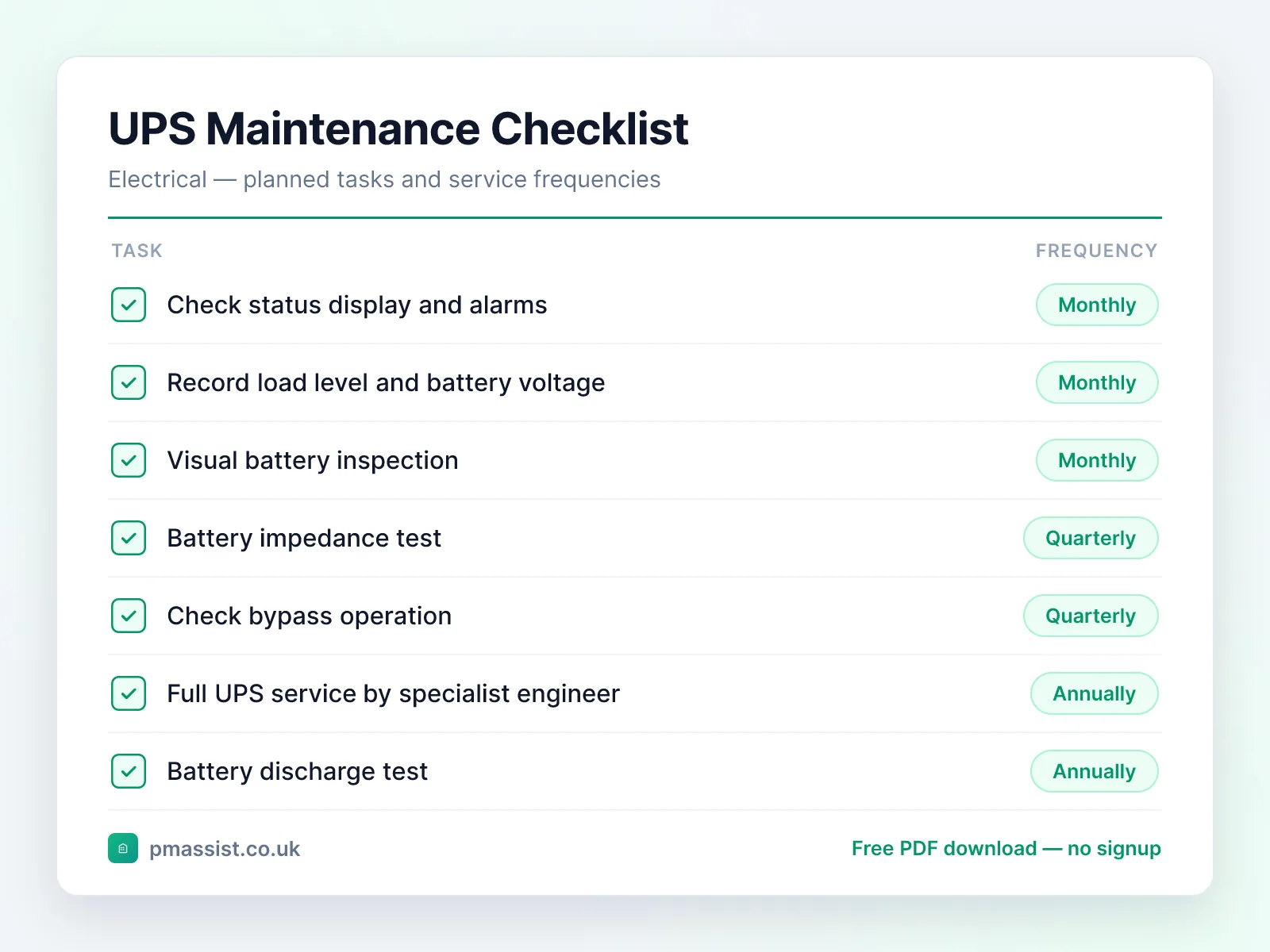
Monthly
- •Check status display and alarms
- •Record load level and battery voltage
- •Visual battery inspection
Quarterly
- •Battery impedance test
- •Check bypass operation
- •Thermal scan of connections
Annually
- •Full UPS service by specialist engineer
- •Battery discharge test
- •Capacitor and fan inspection
- •Firmware update check
Common faults and issues
Issues to be aware of when maintaining uninterruptible power supply (ups) equipment.
Safety and compliance notes
Key safety considerations for uninterruptible power supply (ups) maintenance. This is general guidance only — always follow OEM instructions, statutory requirements, and your organisation's safe systems of work.
Reference standards and frameworks
- United Kingdom
- BS 7671 (IET Wiring Regulations) and the Electricity at Work Regulations 1989
- North America
- NFPA 70B (electrical equipment maintenance) and ANSI/NETA MTS
Frameworks commonly referenced when planning ups maintenance programmes. Always confirm the requirements that apply to your site and jurisdiction.
Managing UPS documentation with PM Assist
PM Assist helps FM and building operations teams search their O&M manuals and building drawings in seconds. Upload your uninterruptible power supply (ups) documentation and ask questions like “When was the last inspection carried out?” or “What are the rated specifications?” — and get source-cited answers instantly.
The checklist tells you what to check. The manual tells you the numbers.
Ask a ups manual a question and get the answer back with the page it came from. No signup, and you can drop in your own PDF instead of the sample.
“When was the last inspection carried out?”Runs against a sample chiller manual so you can see the shape of the answer — then try it on one of yours.
Take this checklist with you
Download the branded PDF, generate a custom version for your asset, or run AI search across all your building documentation.
Related free tools
Related maintenance checklists
Further reading on ups maintenance
Compliance & CAFM
Run uninterruptible power supply maintenance in PM Assist
This checklist is also a planned maintenance programme in PM Assist, included in every paid plan alongside the compliance register and mobile inspections.
- Add an uninterruptible power supply to a building's asset register and this maintenance programme is created for you, with each task on its frequency in the planner.
- UPS Service & Battery Test is tracked on the compliance register, with the date last done, the date next due and the certificate.
- Contractors can be given a login to see their jobs and upload certificates.
Frequently asked questions
How long do UPS batteries last?
What is a UPS bypass?
How do I know if my UPS is sized correctly?
Manage your building documentation with AI
PM Assist gives FM teams instant access to O&M manuals, drawings, and maintenance knowledge — all searchable with AI.
- Upload and organise building documentation
- AI-powered search across all your manuals
- Source-cited answers for maintenance queries
- Team collaboration and access control
- No credit card required to start