Variable Air Volume (VAV) Box Maintenance Checklist
A maintenance checklist for VAV boxes covering damper actuator operation, controller calibration, reheat coil checks, and airflow sensor validation for commercial buildings.
Also available as editable Excel and Word — with asset, sign-off and findings columns.
What is a vav box maintenance checklist?
A variable air volume (vav) box maintenance checklist is a structured list of the 11 preventive maintenance tasks — covering visual, functional, cleaning, safety and record-keeping checks — that keep a variable air volume (vav) box running safely and reliably. It groups routine checks by frequency, from daily inspections to annual servicing, so FM teams and building engineers can plan and evidence preventive maintenance.
Core vav box checks
- Inspect damper blade and linkage for damage or binding
- Verify damper actuator strokes fully open and fully closed
- Clean the airflow sensing ports if accessible
- Ensure the VAV box is labelled with zone identification
- Record measured airflow and damper position for each zone
What is a variable air volume (vav) box?
A VAV box regulates the volume of conditioned air delivered to a zone by modulating a damper based on the room temperature demand. Some units include an electric or hot water reheat coil for additional heating. VAV systems are widely used in multi-zone commercial buildings because they offer energy-efficient zone control from a central AHU.
This checklist is one of 34 in our HVAC maintenance checklists, covering air handling units, fan coils, chillers, VRF, ductwork and extract systems — filters, coils, refrigerant and damper checks.
Typical VAV box maintenance checklist
A practical starting point for planned preventive maintenance. Always refer to the manufacturer's O&M manual and site-specific requirements.
Visual Checks
- Inspect damper blade and linkage for damage or binding
- Check ductwork connections for air leaks at the VAV box inlet and outlet
- Inspect insulation on the casing for damage
Functional Checks
- Verify damper actuator strokes fully open and fully closed
- Confirm minimum and maximum airflow setpoints match design specifications
- Check airflow sensor readings against a reference measurement
- Test reheat coil operation (where fitted) and verify valve or element function
- Verify zone controller communicates correctly with BMS
Cleaning & Housekeeping
- Clean the airflow sensing ports if accessible
Safety Checks
- Ensure the VAV box is labelled with zone identification
Record Keeping
- Record measured airflow and damper position for each zone
Download the free VAV box maintenance checklist PDF
Get all 11 tasks as a printable PDF — free, no signup needed. Keep a copy in the plant room, attach it to work orders, or share it with your maintenance contractor.
The PDF is free and needs nothing. The Excel and Word versions add asset details, sign-off and findings columns so you can record the work as you do it — we ask for an email address for those.
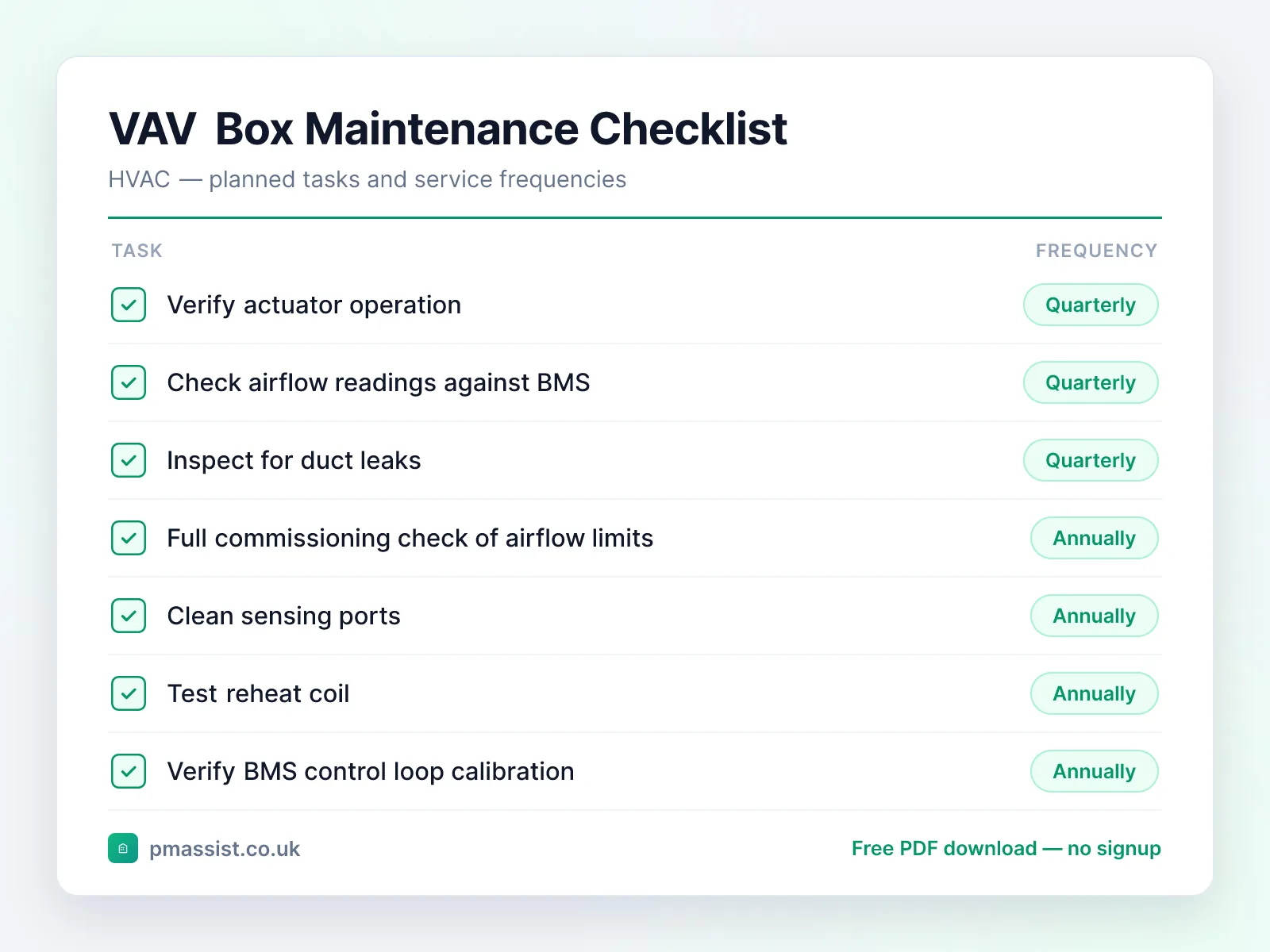
Typical maintenance frequency
Suggested intervals for variable air volume (vav) box maintenance. Actual frequencies should follow manufacturer guidance and site-specific risk assessments.
Quarterly
- •Verify actuator operation
- •Check airflow readings against BMS
- •Inspect for duct leaks
Annually
- •Full commissioning check of airflow limits
- •Clean sensing ports
- •Test reheat coil
- •Verify BMS control loop calibration
Common faults and issues
Issues to be aware of when maintaining variable air volume (vav) box equipment.
Safety and compliance notes
Key safety considerations for variable air volume (vav) box maintenance. This is general guidance only — always follow OEM instructions, statutory requirements, and your organisation's safe systems of work.
Reference standards and frameworks
- United Kingdom
- SFG20 schedules and CIBSE Guide M
- North America
- ASHRAE/ACCA Standard 180 (HVAC inspection and maintenance)
- Middle East
- Dubai Municipality's Green Building Regulations require commissioning to CIBSE Commissioning Code A (air distribution), and cite ASHRAE 62 and 90.1
Frameworks commonly referenced when planning vav box maintenance programmes. Always confirm the requirements that apply to your site and jurisdiction.
Managing VAV box documentation with PM Assist
PM Assist helps FM and building operations teams search their O&M manuals and building drawings in seconds. Upload your variable air volume (vav) box documentation and ask questions like “What are the recommended service intervals?” or “Where are the isolation points?” — and get source-cited answers instantly.
The checklist tells you what to check. The manual tells you the numbers.
Ask a vav box manual a question and get the answer back with the page it came from. No signup, and you can drop in your own PDF instead of the sample.
“What are the recommended service intervals?”Runs against a sample chiller manual so you can see the shape of the answer — then try it on one of yours.
Take this checklist with you
Download the branded PDF, generate a custom version for your asset, or run AI search across all your building documentation.
Related free tools
Related maintenance checklists
Further reading on vav box maintenance
Compliance topics for vav box maintenance
Compliance & CAFM
Run variable air volume box maintenance in PM Assist
This checklist is also a planned maintenance programme in PM Assist, included in every paid plan alongside the compliance register and mobile inspections.
- Add a variable air volume box to a building's asset register and this maintenance programme is created for you, with each task on its frequency in the planner.
- Air Handling Plant Service is tracked on the compliance register, with the date last done, the date next due and the certificate.
- Contractors can be given a login to see their jobs and upload certificates.
Frequently asked questions
What does a VAV box do?
How do you troubleshoot a noisy VAV box?
What is the difference between a VAV and a CAV unit?
Manage your building documentation with AI
PM Assist gives FM teams instant access to O&M manuals, drawings, and maintenance knowledge — all searchable with AI.
- Upload and organise building documentation
- AI-powered search across all your manuals
- Source-cited answers for maintenance queries
- Team collaboration and access control
- No credit card required to start