Pressurisation Set (Packaged) Maintenance Checklist
Maintain packaged pressurisation sets with checks for integrated controller programming, spill vessel condition, manufacturer-specific fault codes, and warranty-compliant servicing procedures.
Also available as editable Excel and Word — with asset, sign-off and findings columns.
What is a pressurisation set maintenance checklist?
A pressurisation set (packaged) maintenance checklist is a structured list of the 10 preventive maintenance tasks — covering visual, functional and record-keeping checks — that keep a pressurisation set (packaged) running safely and reliably. It groups routine checks by frequency, from daily inspections to annual servicing, so FM teams and building engineers can plan and evidence preventive maintenance.
Core pressurisation set checks
- Inspect the integrated fill connection, strainer, and backflow preventer
- Read and clear any fault codes or warnings on the controller display
- Record make-up water meter reading and compare to previous readings for leak trend
What is a pressurisation set (packaged)?
A packaged pressurisation set is a factory-assembled unit combining a pump, expansion or spill vessel(s), controller, fill arrangement, and pressure sensors in a single skid-mounted or wall-mounted package. Unlike separately specified pressurisation components, packaged sets have integrated controllers with manufacturer-specific programming, fault code displays, and often proprietary diagnostics. Brands such as Flamco, IMI Pneumex, Caleffi, and Grundfos each have their own controller interfaces and commissioning requirements. Maintenance must follow the package manufacturer's procedures to maintain warranty coverage.
This checklist is one of 27 in our plumbing and water system maintenance checklists, covering pressurisation units, booster sets, storage tanks, TMVs and water treatment — pressure, hygiene and legionella control.
Typical Pressurisation set maintenance checklist
A practical starting point for planned preventive maintenance. Always refer to the manufacturer's O&M manual and site-specific requirements.
Visual Checks
- Inspect the integrated fill connection, strainer, and backflow preventer
- Check electrical connections and fuse condition in the controller enclosure
- Inspect all hydraulic connections within the package for leaks or corrosion
Functional Checks
- Read and clear any fault codes or warnings on the controller display
- Verify the controller setpoints match the commissioning record (fill pressure, max pressure, differential)
- Check the spill vessel or diaphragm vessel condition and gas pre-charge
- Test the pump by triggering a low-pressure condition and confirming auto-recovery
- Test the controller's high-pressure lockout and low-pressure alarm via BMS
Record Keeping
- Record make-up water meter reading and compare to previous readings for leak trend
- Verify the package labelling, commissioning data plate, and service sticker are current
Download the free Pressurisation set maintenance checklist PDF
Get all 10 tasks as a printable PDF — free, no signup needed. Keep a copy in the plant room, attach it to work orders, or share it with your maintenance contractor.
The PDF is free and needs nothing. The Excel and Word versions add asset details, sign-off and findings columns so you can record the work as you do it — we ask for an email address for those.
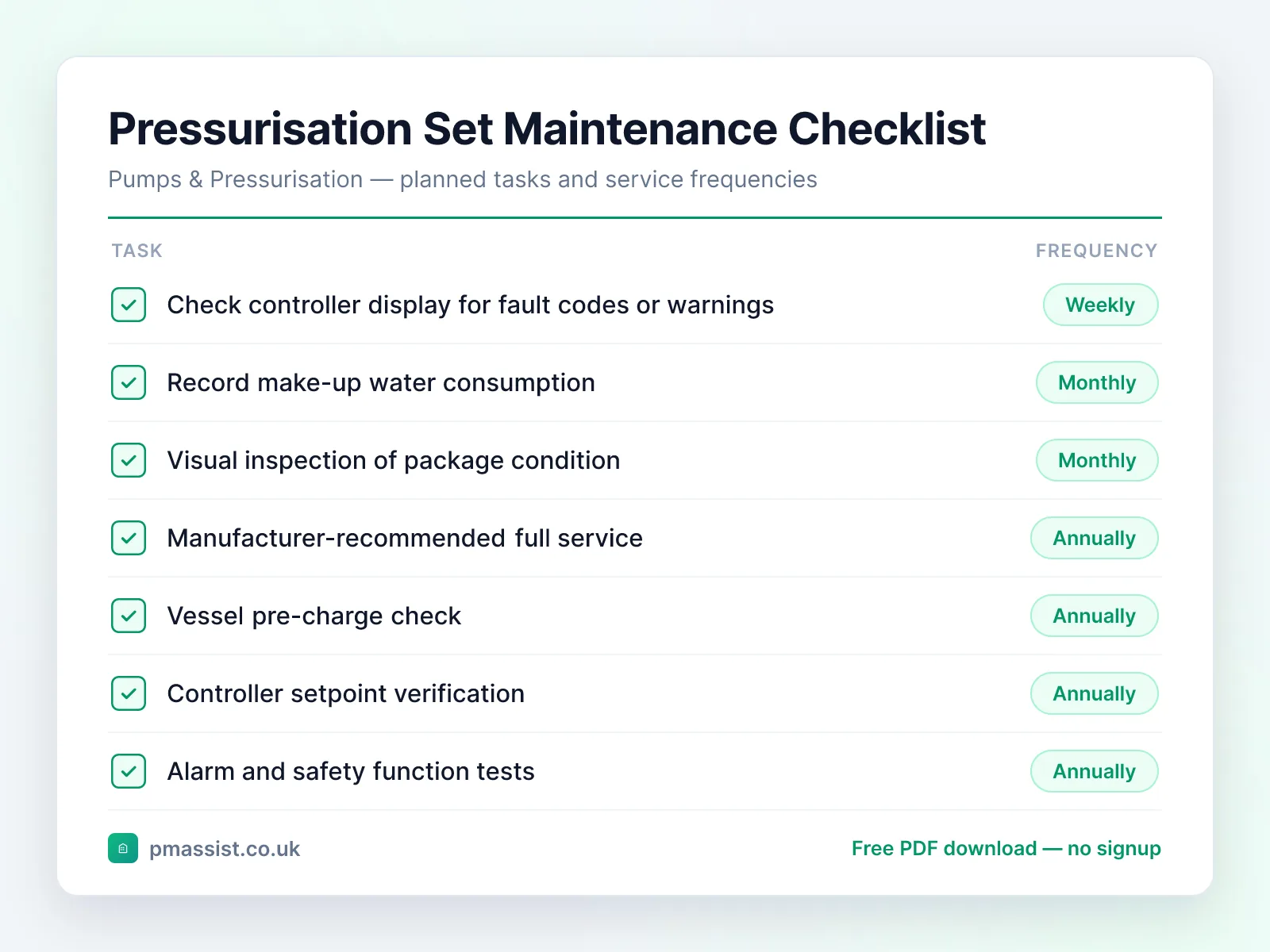
Typical maintenance frequency
Suggested intervals for pressurisation set (packaged) maintenance. Actual frequencies should follow manufacturer guidance and site-specific risk assessments.
Weekly
- •Check controller display for fault codes or warnings
Monthly
- •Record make-up water consumption
- •Visual inspection of package condition
Annually
- •Manufacturer-recommended full service
- •Vessel pre-charge check
- •Controller setpoint verification
- •Alarm and safety function tests
- •Update service sticker and log
Common faults and issues
Issues to be aware of when maintaining pressurisation set (packaged) equipment.
Safety and compliance notes
Key safety considerations for pressurisation set (packaged) maintenance. This is general guidance only — always follow OEM instructions, statutory requirements, and your organisation's safe systems of work.
Reference standards and frameworks
- United Kingdom
- SFG20 schedules and CIBSE Guide M
- North America
- ASHRAE/ACCA Standard 180 and Hydraulic Institute maintenance guidance
Frameworks commonly referenced when planning pressurisation set maintenance programmes. Always confirm the requirements that apply to your site and jurisdiction.
Managing Pressurisation set documentation with PM Assist
PM Assist helps FM and building operations teams search their O&M manuals and building drawings in seconds. Upload your pressurisation set (packaged) documentation and ask questions like “What is the design duty point?” or “When were the pump seals last replaced?” — and get source-cited answers instantly.
The checklist tells you what to check. The manual tells you the numbers.
Ask a pressurisation set manual a question and get the answer back with the page it came from. No signup, and you can drop in your own PDF instead of the sample.
“What is the design duty point?”Runs against a sample chiller manual so you can see the shape of the answer — then try it on one of yours.
Take this checklist with you
Download the branded PDF, generate a custom version for your asset, or run AI search across all your building documentation.
Related free tools
Related maintenance checklists
Further reading on pressurisation set maintenance
Compliance topics for pressurisation set maintenance
Compliance & CAFM
Run pressurisation set maintenance in PM Assist
This checklist is also a planned maintenance programme in PM Assist, included in every paid plan alongside the compliance register and mobile inspections.
- Add a pressurisation set to a building's asset register and this maintenance programme is created for you, with each task on its frequency in the planner.
- Visits are logged with notes and certificates, and overdue work is flagged before it becomes a finding.
- Contractors can be given a login to see their jobs and upload certificates.
Frequently asked questions
What is the difference between a pressurisation set and separate pressurisation components?
Why does my pressurisation set keep showing a fault code?
Can I replace individual components within a pressurisation set?
How do I trend make-up water consumption?
Manage your building documentation with AI
PM Assist gives FM teams instant access to O&M manuals, drawings, and maintenance knowledge — all searchable with AI.
- Upload and organise building documentation
- AI-powered search across all your manuals
- Source-cited answers for maintenance queries
- Team collaboration and access control
- No credit card required to start