Operations and maintenance manuals are among the most valuable documents in any building's lifecycle. They contain the accumulated knowledge of every system installed during construction — from the architect's design intent to the manufacturer's detailed maintenance instructions. Yet in many buildings, particularly those constructed before the digital era, these critical documents exist only as paper files stored in site offices, plant rooms, or off-site archives.
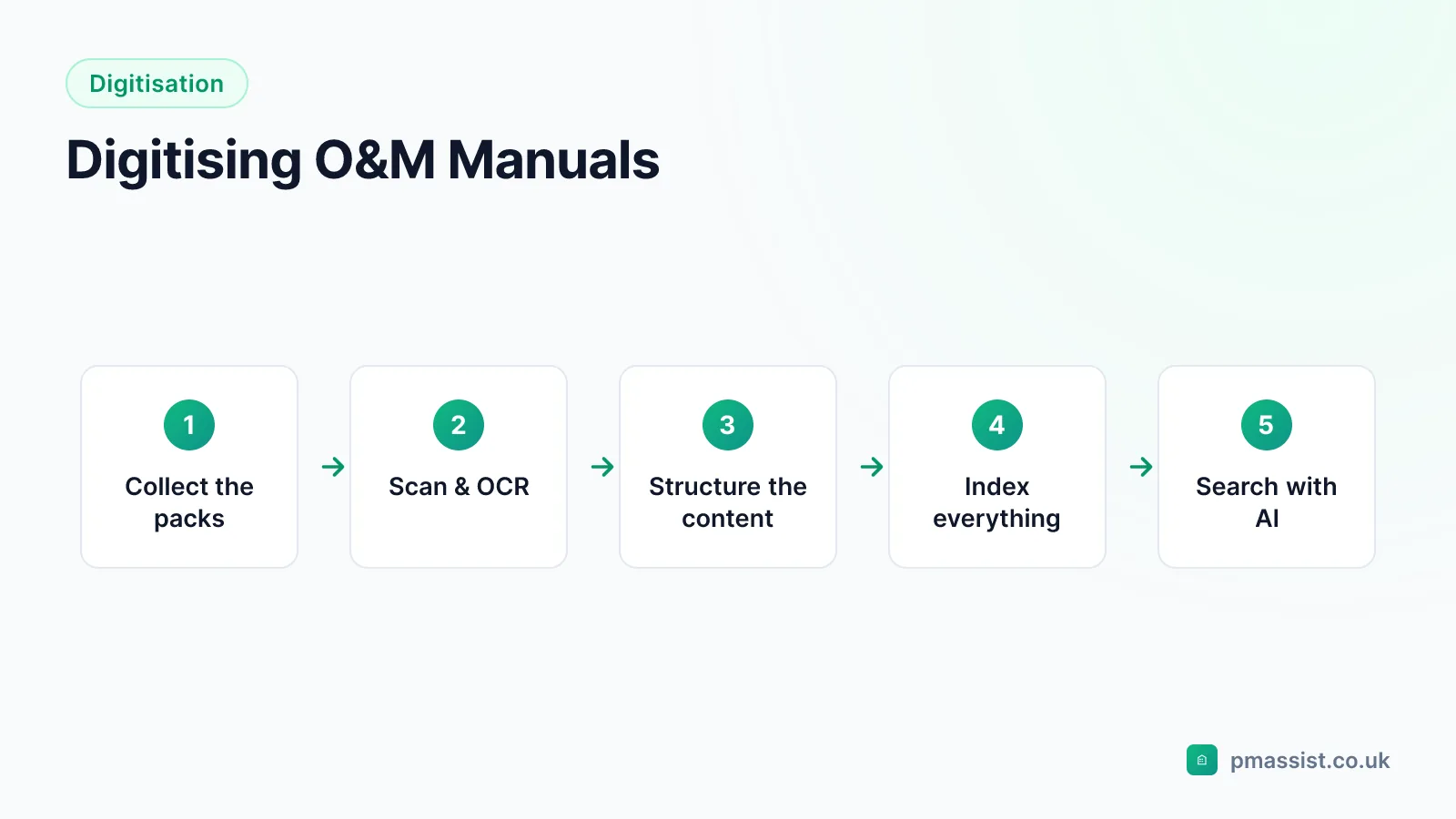
Digitising O&M manuals is the essential first step towards making this knowledge accessible, searchable, and useful. Whether you are managing a single building or a portfolio of properties, converting paper-based documentation into digital format pays dividends in operational efficiency, knowledge preservation, and regulatory compliance. This guide walks through the entire process — from initial assessment to AI-powered search.
Why Digitise O&M Manuals?
Before diving into the how, it is worth understanding why digitisation matters. Paper-based O&M manuals suffer from several fundamental limitations that directly impact facilities management effectiveness.
Physical Deterioration
Paper degrades over time. O&M manuals stored in plant rooms are exposed to heat, humidity, and dust. Pages become brittle, ink fades, and binding fails. For buildings that are twenty or thirty years old, the original paper O&M manuals may already be in poor condition. Every year that passes without digitisation increases the risk of permanent information loss.
Single Point of Access
A paper manual can only be in one place at one time. If the maintenance manual for the fire alarm system is in the site office, an engineer working in the plant room cannot consult it without physically retrieving it. This might seem like a minor inconvenience, but when multiplied across dozens of daily queries, it represents a significant drag on productivity. As we explored in our article on why engineers waste hours searching documentation, poor document access is one of the biggest hidden costs in facilities management.
No Search Capability
Paper documents cannot be searched. Finding specific information requires knowing which manual to look in, which section covers the topic, and then manually scanning through pages. This process relies heavily on the knowledge and experience of individual team members — knowledge that walks out of the door when staff leave or retire.
Compliance Risk
Regulatory bodies expect building operators to have ready access to O&M documentation. During audits or inspections, being unable to produce required documents quickly can result in compliance findings. Digital documentation, properly organised and backed up, provides the accessibility and resilience that compliance demands.
Step 1: Assess Your Current Documentation
The first step in any digitisation project is understanding what you have. Conduct a thorough audit of your existing O&M documentation. This audit should cover several key areas.
Inventory Your Documents
Create a comprehensive list of all O&M documents for each building. This typically includes manufacturer operation and maintenance manuals, as-built drawings, commissioning records and test certificates, health and safety files, building log books, and equipment data sheets. Note the format of each document (paper, PDF, CAD file), its condition, and its location. For paper documents, estimate the number of pages — this will help you plan the scanning effort.
Identify Gaps
It is common to find that O&M documentation is incomplete. Manuals may have been lost during office moves, damaged by water leaks, or simply never provided by subcontractors during the original construction handover. Identifying these gaps early allows you to source replacement documentation from manufacturers or create your own records where originals are unavailable.
Prioritise by Criticality
Not all documents are equally urgent. Prioritise digitisation based on criticality and frequency of use. Life safety systems (fire alarms, sprinklers, emergency lighting) should be digitised first, followed by critical plant (HVAC, electrical distribution), then general building fabric documentation. This approach ensures that the most important information is digitised and accessible first, even if the full project takes months to complete.
Step 2: Scanning Paper Documents
For paper-based O&M manuals, scanning is the first physical step in digitisation. The quality of your scanning directly affects the quality of everything that follows, so it is worth getting this right.
Scanning Resolution
For text documents, scan at a minimum of 300 DPI (dots per inch). This resolution provides sufficient quality for OCR processing and is clear enough for on-screen reading. For documents that contain detailed drawings or diagrams, consider scanning at 600 DPI to preserve fine detail. Higher resolutions produce larger files but better quality — for most O&M documentation, 300 DPI strikes the right balance.
Colour vs Greyscale vs Black and White
Scan text-heavy documents in greyscale to keep file sizes manageable while preserving readability. Documents with colour-coded diagrams, wiring schematics, or photographs should be scanned in colour. Avoid scanning in pure black and white (bitonal) as this can lose detail in photographs and shaded diagrams.
File Format and Organisation
Save scanned documents as PDF files. Use PDF/A format where possible — this is an archival format that ensures long-term readability regardless of software changes. Organise files with a consistent naming convention that includes the building name or reference, the system or equipment covered, and the document type. For example: "Building-A_AHU-01_Maintenance-Manual.pdf".
In-House vs Outsourced Scanning
For small volumes (under a few hundred pages), in-house scanning with a decent document scanner is practical and cost-effective. For large volumes or entire building archives, consider using a professional scanning bureau. These companies have high-speed scanners, experienced operators, and quality control processes that produce consistently good results. Many will collect your documents, scan them at their premises, and return the originals along with the digital files on a secure drive.
Step 3: OCR Processing
Optical Character Recognition (OCR) is the technology that converts images of text into actual searchable text. Without OCR, a scanned PDF is just a collection of images — you can view the pages, but you cannot search the content or copy text from it.
How OCR Works
OCR software analyses the visual patterns on each page and matches them to known character shapes. Modern OCR engines use machine learning to achieve high accuracy rates, typically above 99 per cent for clean, well-scanned documents. The software creates a text layer that sits behind the page image in the PDF, making it searchable while preserving the visual appearance of the original document.
OCR Quality Considerations
OCR accuracy depends heavily on scan quality. Clean, clearly printed text on white paper produces excellent results. Handwritten notes, faded print, poor scan quality, and unusual fonts all reduce accuracy. For O&M manuals, the majority of content is typically machine-printed and produces good OCR results, but handwritten annotations and stamps may not be captured accurately.
It is worth reviewing OCR output for critical documents — particularly safety-related content where a misrecognised number could have serious consequences. Most OCR software includes confidence scoring that flags characters or words where the recognition is uncertain, making it easier to identify and correct errors.
OCR Software Options
Many scanning solutions include built-in OCR. Adobe Acrobat Pro offers reliable OCR for individual files. For batch processing, dedicated tools such as ABBYY FineReader or open-source alternatives like Tesseract can process hundreds of files automatically. Some AI document platforms, including PM Assist, handle OCR as part of the document upload process, so you do not need to run OCR separately.
Step 4: Indexing and Organisation
Once your documents are scanned and OCR-processed, the next step is organising them in a way that makes information findable. Traditional approaches to document organisation rely on folder structures, file naming conventions, and metadata tagging.
Folder Structure
A logical folder structure for O&M documentation typically follows the building systems hierarchy. A common approach uses the Uniclass or SFG20 classification systems as a framework, with top-level folders for each major system (mechanical, electrical, fire, lifts, fabric) and subfolders for individual equipment items. Consistency is more important than the specific structure — choose a system and apply it uniformly across all buildings.
Metadata and Tagging
Adding metadata to documents makes them easier to find and manage. Useful metadata for O&M documentation includes the building reference, system type, equipment manufacturer and model, document type (manual, drawing, certificate), and relevant dates (installation date, warranty expiry). Some document management systems allow you to tag documents with custom metadata fields that align with your CAFM system.
The Limitations of Manual Indexing
Manual indexing is thorough but extremely time-consuming. For a large building with thousands of pages of documentation, manually tagging every document with appropriate metadata can take weeks. There is also a consistency challenge — different team members may tag documents differently, reducing the reliability of metadata-based searches. This is where AI indexing offers a significant advantage, as we discuss in the next section.
Step 5: Making Documents Searchable with AI
The final and most transformative step in the digitisation process is making your documents searchable using AI. While OCR makes individual documents keyword-searchable, AI-powered semantic search goes much further — it understands what you are looking for and finds relevant information across your entire document library.
Beyond Keyword Search
Traditional keyword search has a fundamental limitation: you need to use exactly the same words that appear in the document. If you search for "boiler maintenance schedule" but the document says "gas-fired heating appliance service requirements", keyword search will return no results. AI semantic search understands that these phrases mean the same thing and returns the relevant information regardless of the specific terminology used. This is explained in more detail in our article on how to search O&M manuals with AI.
How AI Document Search Works
When you upload documents to an AI search platform like PM Assist, the system processes each document through several stages. First, it extracts the text content (performing OCR if needed). Then it breaks the content into meaningful chunks — paragraphs, sections, and pages. Each chunk is converted into a vector embedding, a mathematical representation that captures the semantic meaning of the text.
When you ask a question, the AI converts your question into the same vector space and finds the document chunks whose meaning most closely matches your query. It then uses these chunks to generate a comprehensive answer, with citations back to the specific source documents and page numbers.
Practical Benefits of AI Search for Digitised O&M Manuals
The combination of digitisation and AI search delivers several practical benefits for FM teams. Information retrieval time drops from minutes to seconds. New team members can find information without relying on colleagues who know where everything is filed. Cross-document queries become possible — asking "What are all the quarterly maintenance requirements?" returns a consolidated answer drawing from every relevant manual in the library.
Perhaps most importantly, AI search makes your documentation investment worthwhile. Many FM teams have extensive O&M libraries that are underutilised simply because finding information in them is too difficult. By making these documents genuinely accessible, AI search transforms O&M manuals from dormant archives into active operational tools.
Common Challenges and How to Overcome Them
Budget Constraints
Digitisation does require an upfront investment, but it can be phased. Start with the most critical and frequently accessed documents. Many FM teams digitise their documentation building by building, spreading the cost across multiple budget cycles. The time savings from improved document access typically deliver a return on investment within the first year.
Staff Buy-In
Some team members may be resistant to changing established ways of working. The most effective approach is to demonstrate value quickly — upload a building's O&M manuals to an AI search platform and show the team how quickly they can find answers to questions that previously took twenty minutes to research. Once people experience the benefit firsthand, adoption follows naturally.
Ongoing Maintenance
Digitisation is not a one-off project. New documents are generated throughout the building lifecycle — updated maintenance records, replacement equipment manuals, annual test certificates. Establish a process for digitising and uploading new documents as they are received, so your digital library stays current.
Conclusion
Digitising O&M manuals is one of the highest-impact improvements a facilities management team can make. It preserves critical building knowledge, makes information accessible to everyone on the team, and lays the foundation for AI-powered search that transforms how engineers interact with building documentation.
The process does not need to be complicated or expensive. Start with a document audit, scan and OCR your paper documents, organise them logically, and upload them to an AI search platform. Each step adds value, and the cumulative effect is transformative.
Try PM Assist free and see how AI search can make your digitised O&M manuals instantly accessible to your entire team.
Get the FM AI digest
One short email a month with the most useful new guides, tools and changes from PM Assist. Unsubscribe anytime.
We use your email only to send the digest. No spam, unsubscribe anytime. See our privacy policy.